 Northstar Gold

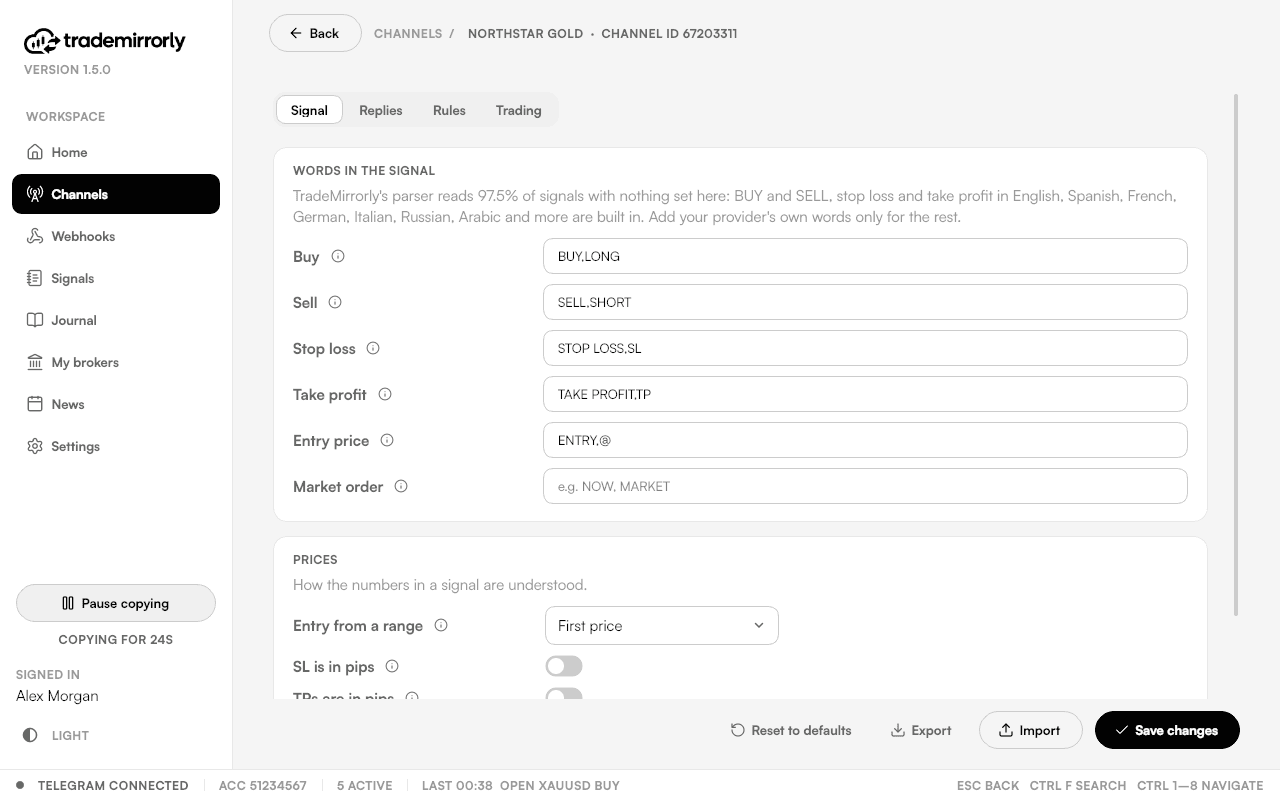
Reads signals the way you do
BUY/SELL, SL, any number of TPs, entry prices and market orders, in 11 languages, with no setup. Replies manage the trade: close, close half, breakeven, move SL or TP, TP hit, cancel.
Copies Telegram signals and TradingView alerts toCopies signals to
 MetaTrader 4
 MetaTrader 5
 TradeLocker
 Match-Trader
Stop retyping entry, SL and TP while the price moves. TradeMirrorly reads the channels you choose and places every signal on your account, sized by your rules.Stop retyping entry, SL and TP. Every signal you choose is placed on your account, sized by your rules.
3 days free · Set up in about 3 minutes · Cancel anytime3 days free · Cancel anytime
BTCUSD
Bitcoin
81,159.50
down 0.20%
ETHUSD
Ethereum
2,370.65
down 1.58%
SPY
S&P 500 ETF
763.25
down 1.11%
QQQ
Nasdaq 100 ETF
709.80
down 2.50%
DIA
Dow Jones ETF
519.10
down 0.40%
GLD
Gold ETF
382.01
down 0.18%
How it works
Set it up once. TradeMirrorly copies while it runs on your computer or a VPS.
Scan a QR code with the Telegram app on your phone, or use your number. The session stays on your computer.
MetaTrader 4 or 5: the app installs the TradeMirrorly EA for you and opens MetaTrader with it. TradeLocker or Match-Trader: sign in once inside the app, nothing to install.
Pick the channels, groups, topics or bots to copy. BUY/SELL, SL, TP and entry are read in 11 languages with no setup.
One signal, every account
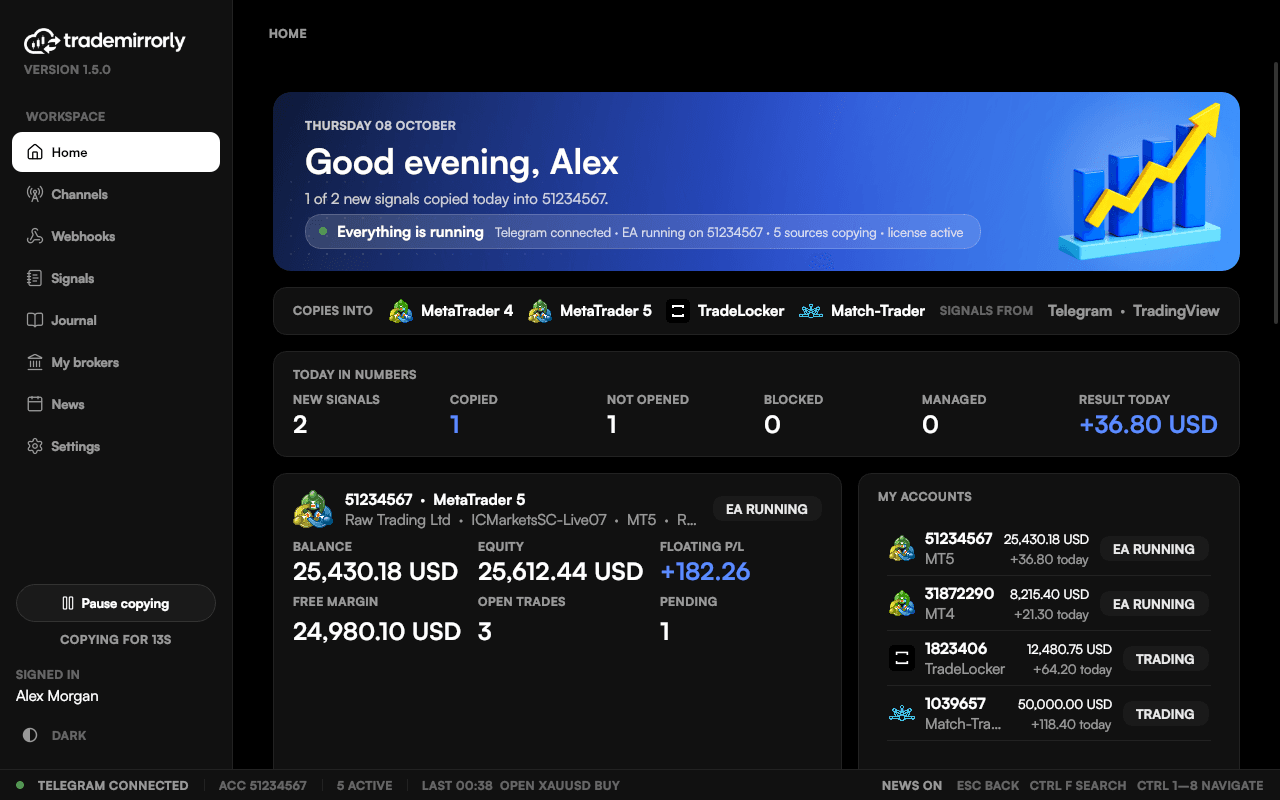
A Telegram signal or a TradingView alert is read once, then placed on each MetaTrader 4, MetaTrader 5, TradeLocker and Match-Trader account that copies it, each with its own size and rules.
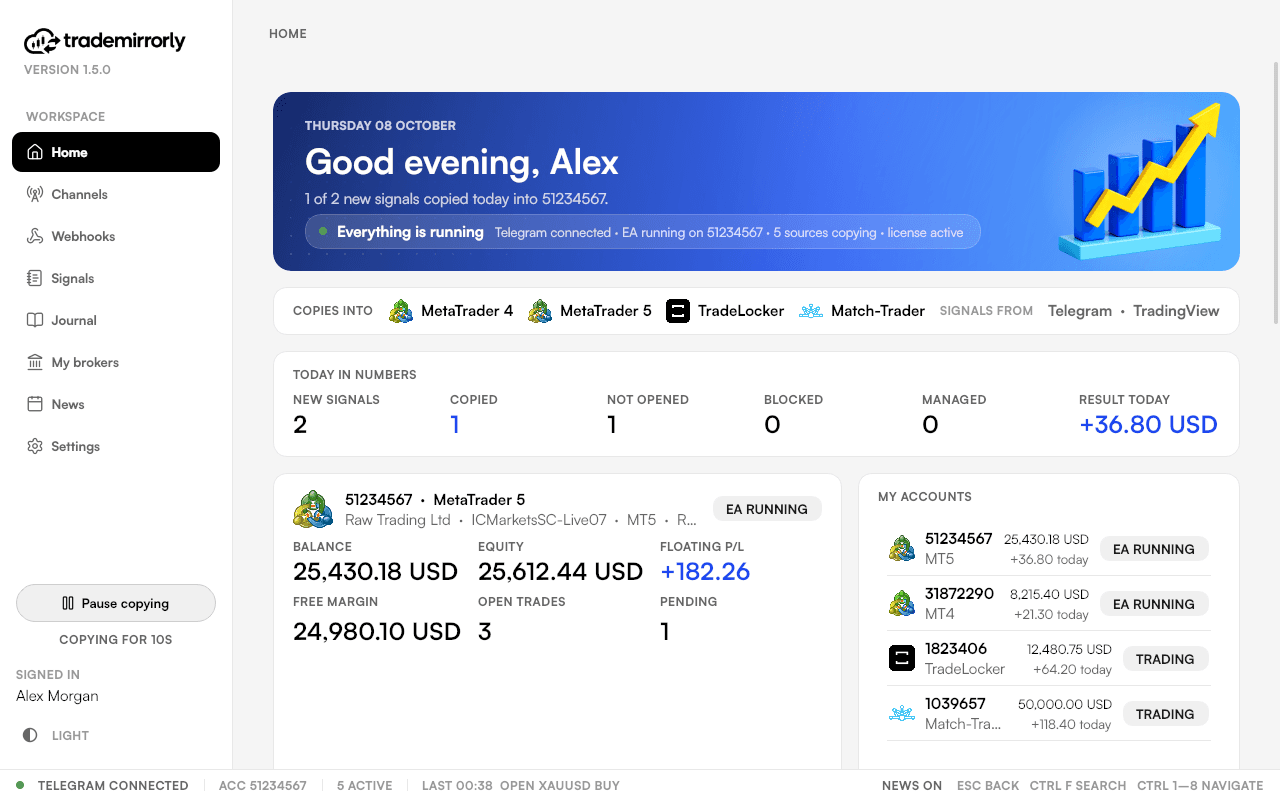
An illustration with the app's demo accounts. Each account copies only the channels you switch on for it.
Interactive demo
Click through the same steps you'll do in the app, then send a test signal and watch it become trades. Sample data, nothing to install.
 TradeMirrorly 1.5.0 · Interactive demo
See your first signal copied
5 short steps · about a minute · sample data
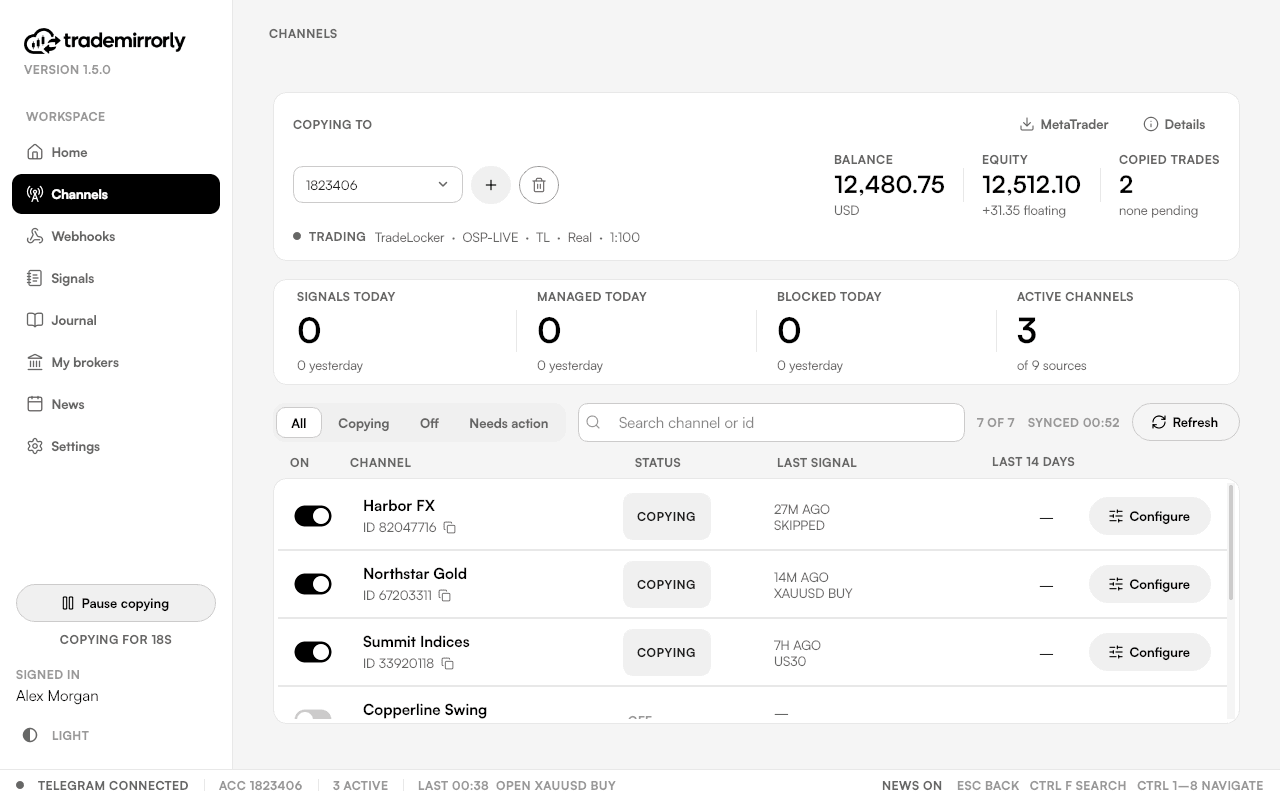
A simulation with sample data. The screens in the app look like the screenshots on this page.
Features
Built for traders who copy real money and want to know, every time, what the copier did.
BUY/SELL, SL, any number of TPs, entry prices and market orders, in 11 languages, with no setup. Replies manage the trade: close, close half, breakeven, move SL or TP, TP hit, cancel.
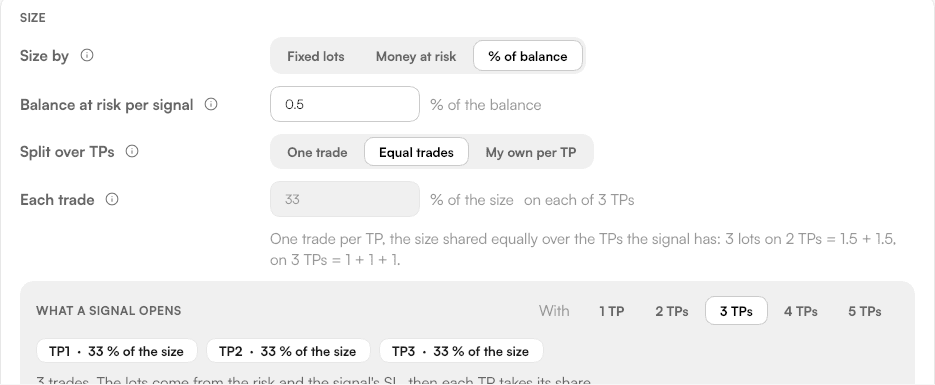
Fixed lots, money at risk or % of balance, per channel. Split over the TPs equally or in your own shares.
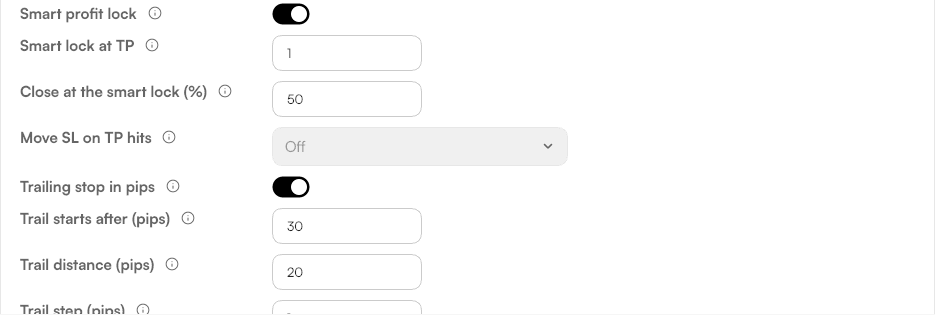
Breakeven, partial and half close, auto breakeven, smart profit lock, move SL on TP hits, trailing stop.
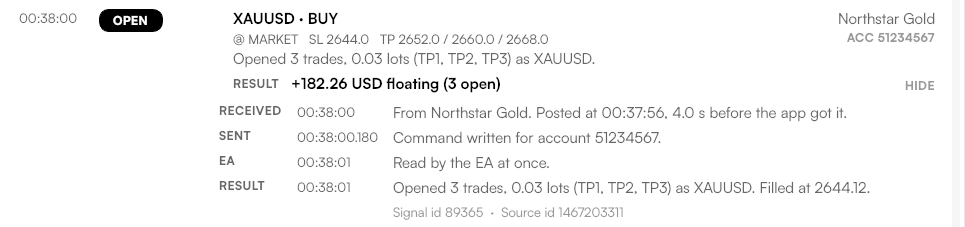
When a trade doesn't open, the app says why in plain words and what to fix, with a desktop alert.
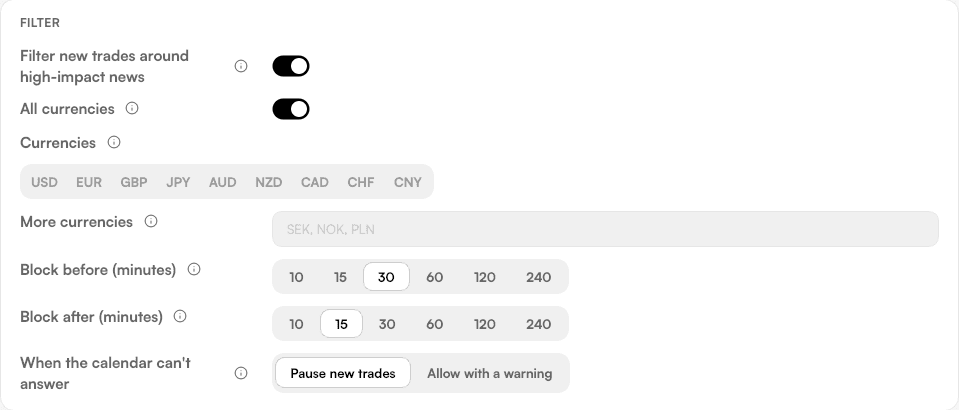
New trades wait around high-impact releases, in the window you set. Closes and breakeven still go through.
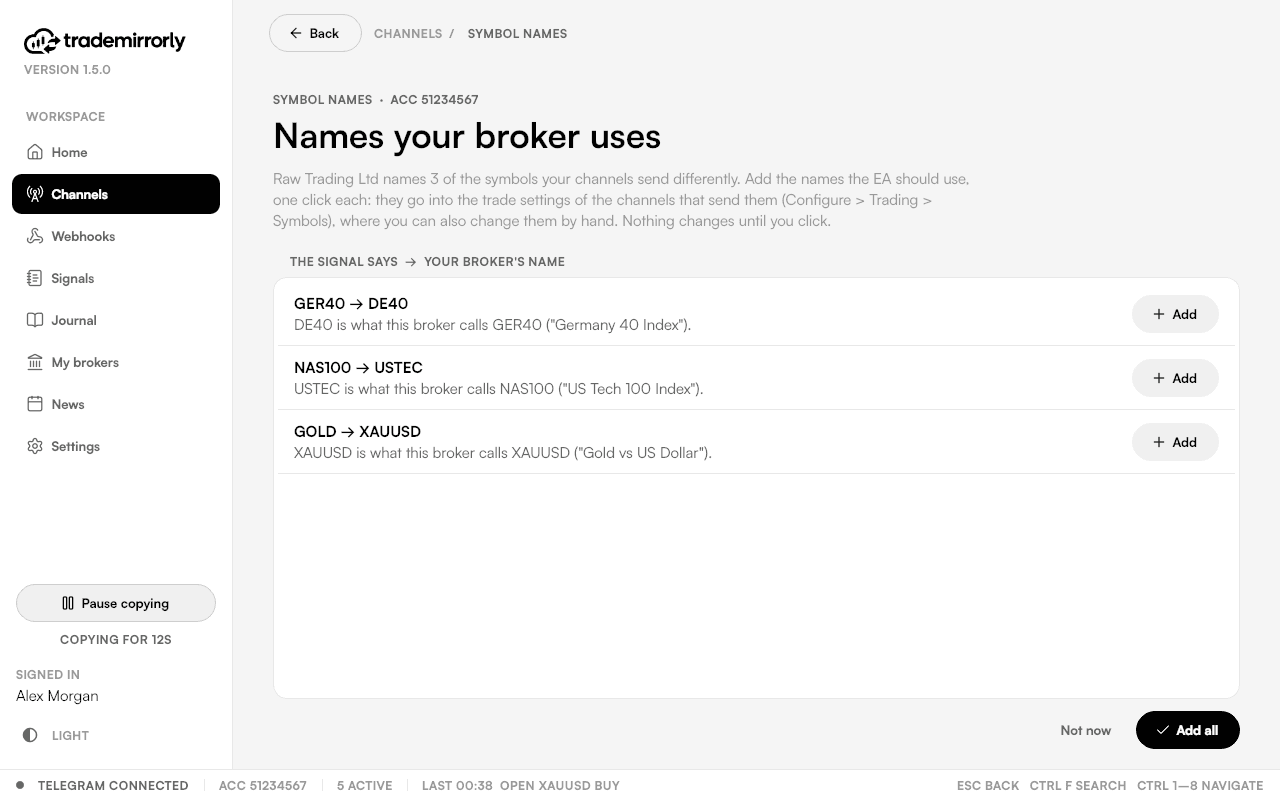
GOLD is XAUUSD at your broker? The app reads your broker's symbol list and adds the right names in one click.
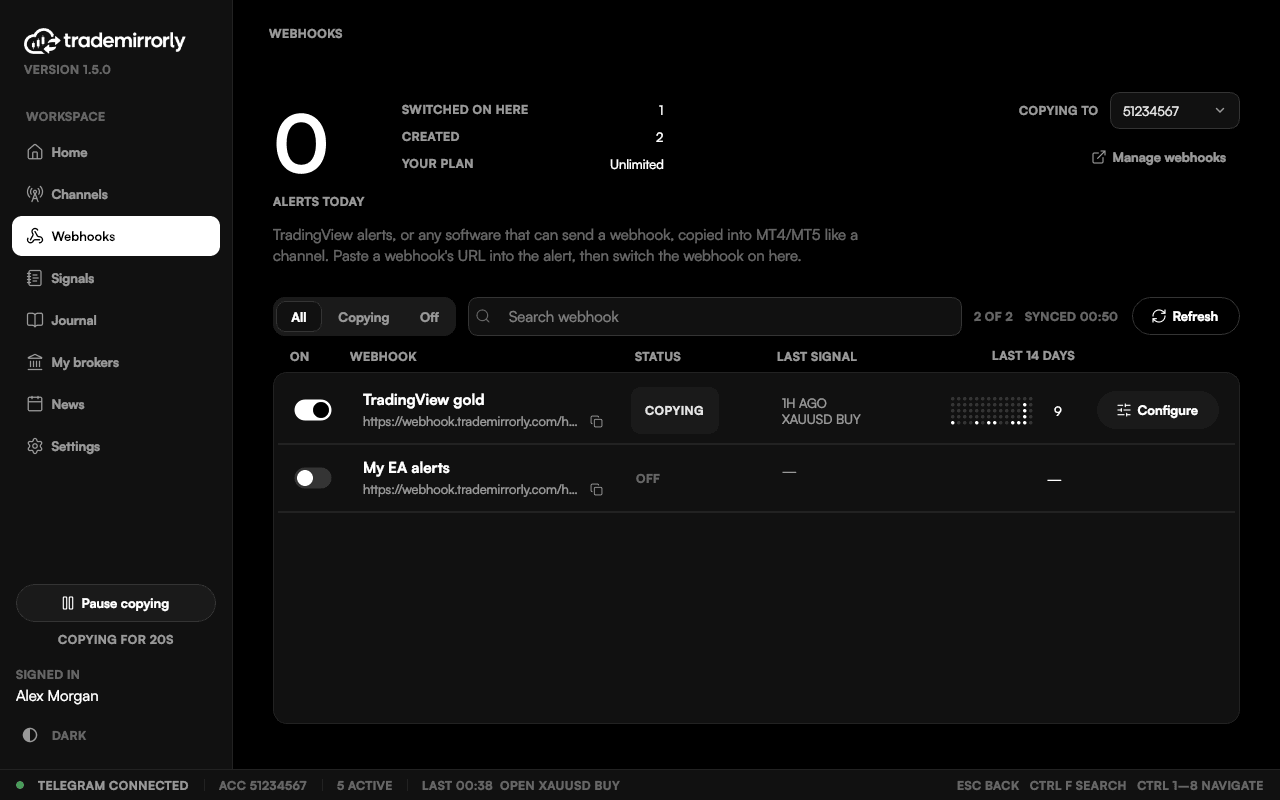
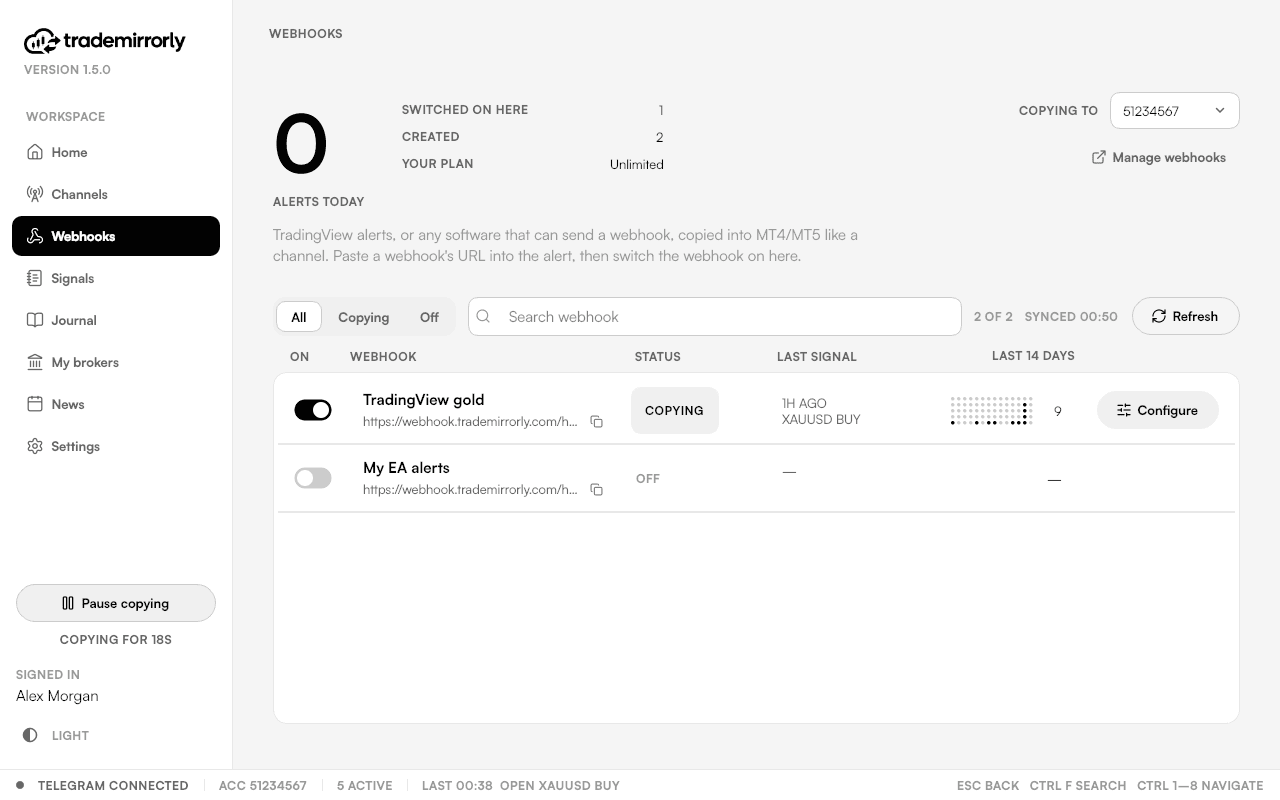
Paste a webhook URL into a TradingView alert: it's copied like a channel, with the same rules.
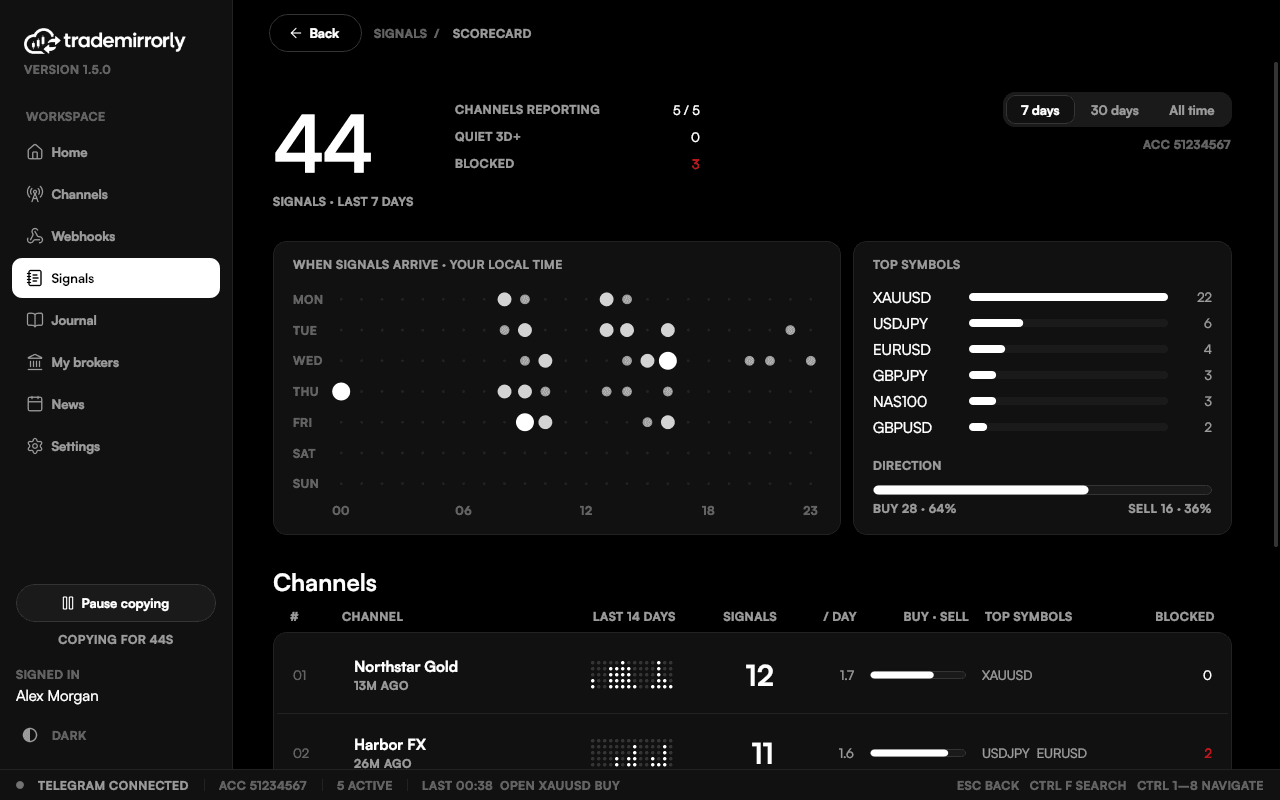
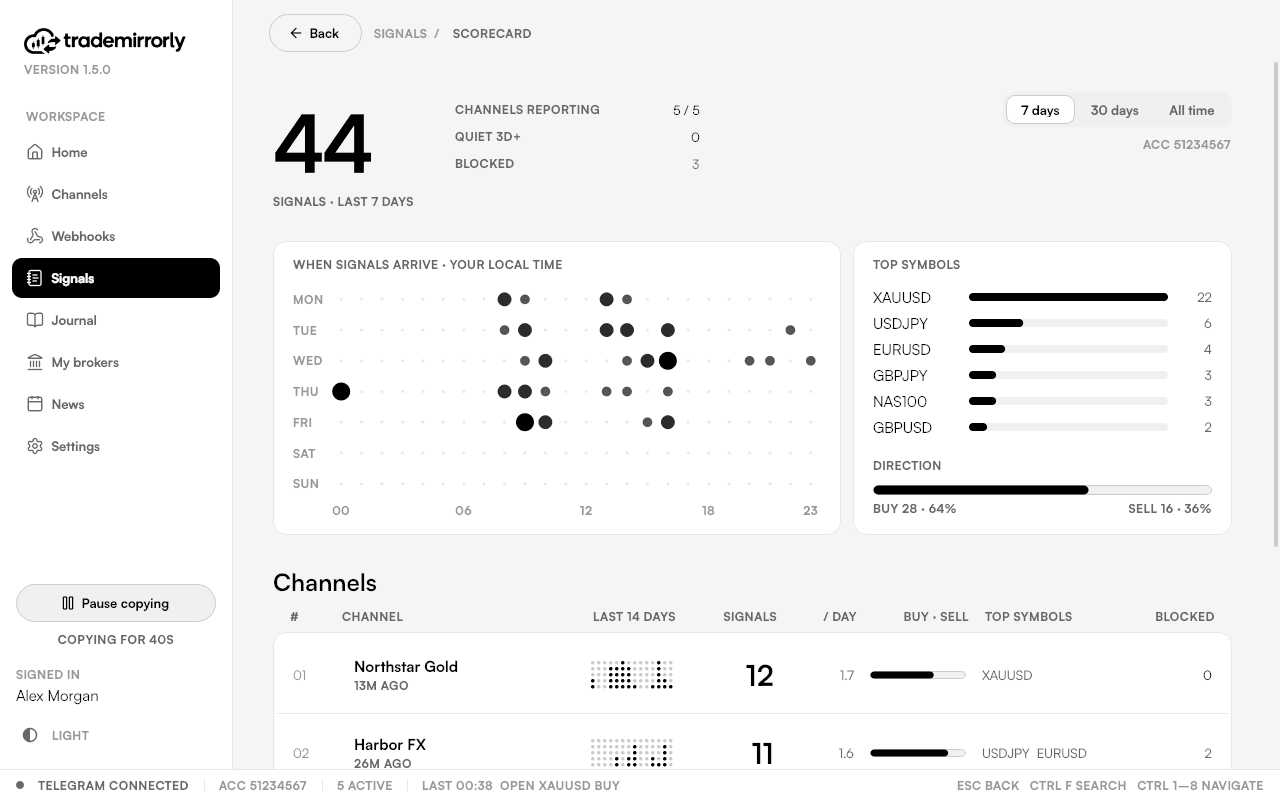
Which channels send signals, when they post, what they trade, and which copy nothing (and why).
New trades stop; closes and changes keep running.
Never marks messages read, never reacts, never shows you online, unless you switch it on.
The app and the EA update together; the app tells you when to restart MetaTrader.
Follows your system.
Switch on remote support and the team can see your screen; off again in one click.
New in 1.5
Sign in to your TradeLocker or Match-Trader account inside TradeMirrorly, and the app trades it itself, with the same per-channel settings as MetaTrader. No EA, no MetaTrader, nothing else to install.
The Journal · Pro
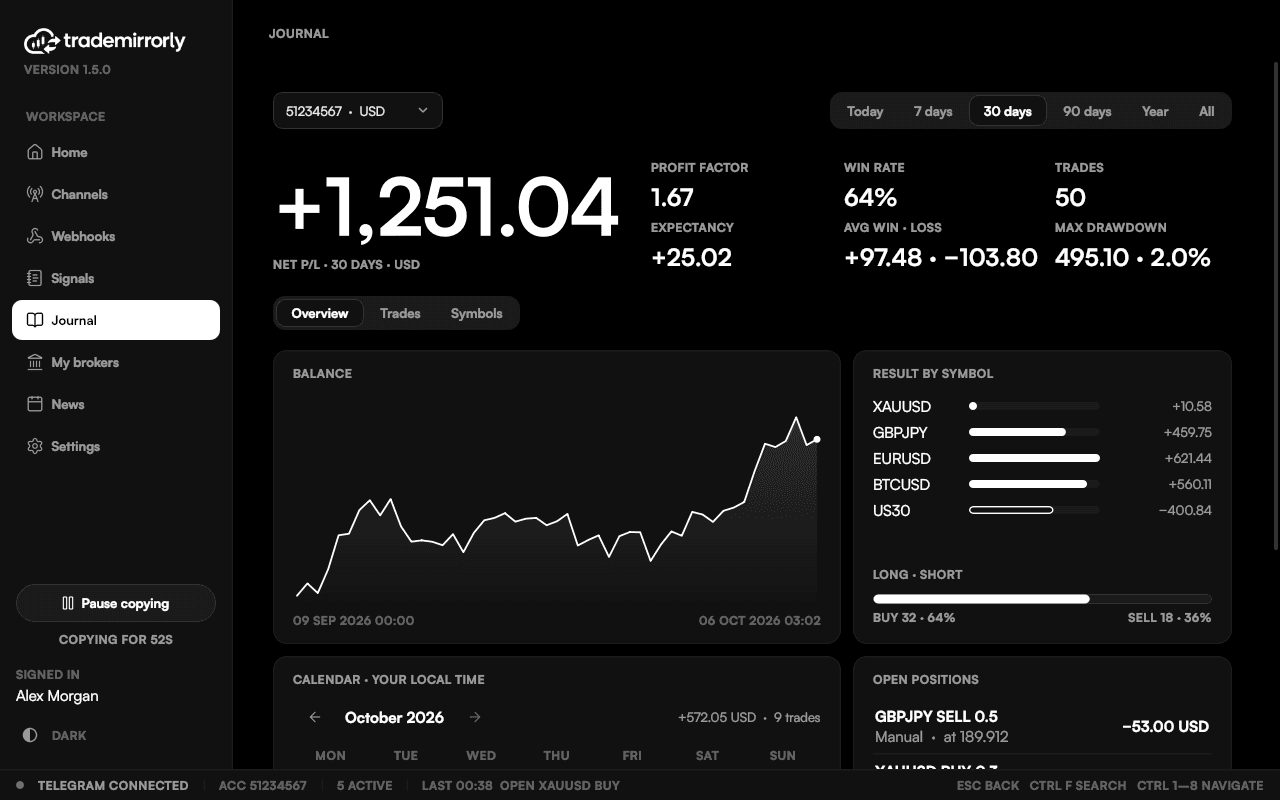
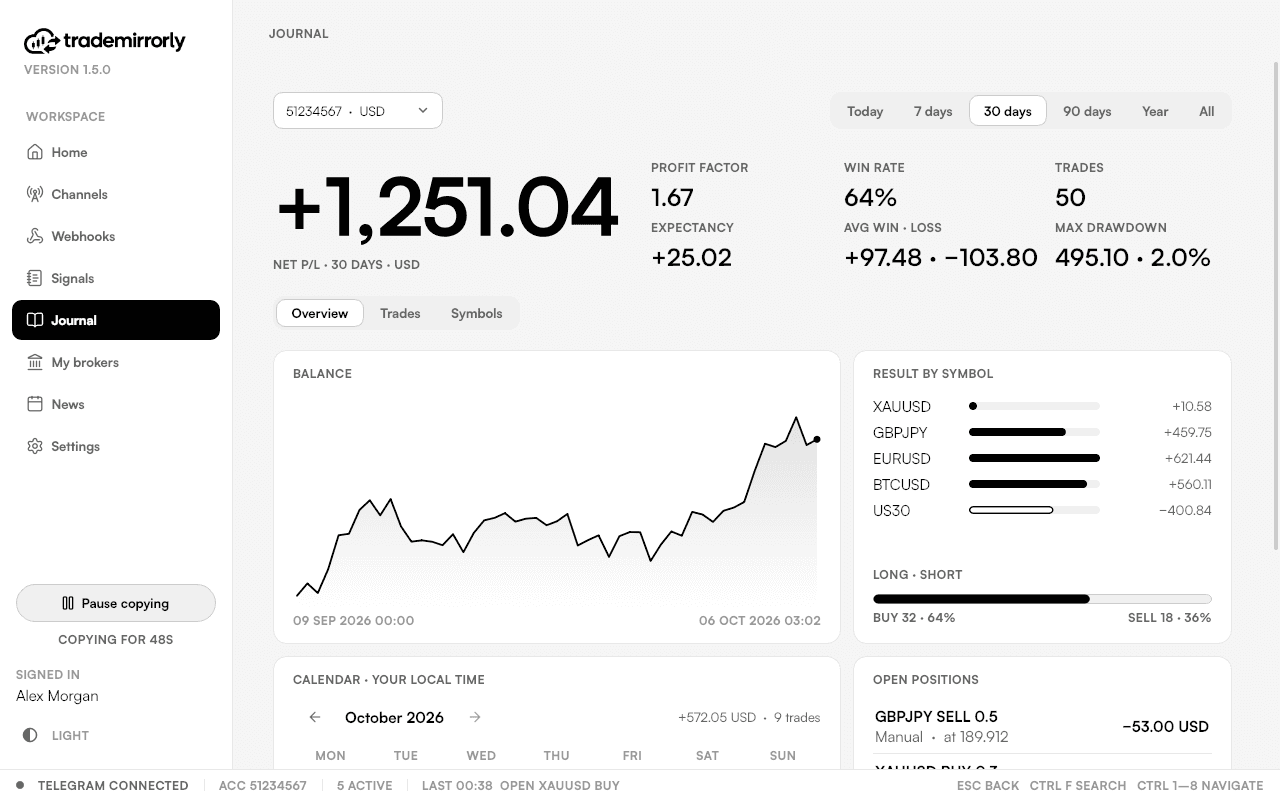
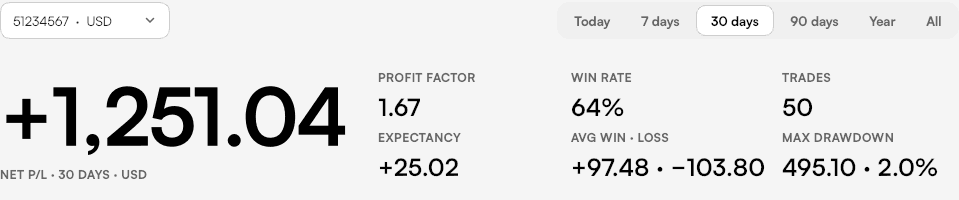
Every trade on your account in one place: the ones TradeMirrorly copied, the ones you placed yourself and other EAs'. Net result, profit factor, expectancy, average win and loss, the deepest drawdown, your balance over time, a calendar of your days, and each symbol scored.
Your trade history stays on your computer.
You decide
Every behaviour is a switch you can see. These are the defaults of a new install.

Copy a channel
Default: OffWhere: Channels
Nothing is copied until you switch a channel on, per account
Pause copying
Default: OffWhere: Sidebar
New trades stop; closes and changes keep running
Mark messages as read
Default: OffWhere: Settings › Telegram
Marks copied channels' messages read
React to copied signals
Default: OffWhere: Settings › Telegram
One reaction on messages that became trades
News filter
Default: OffWhere: News › News settings
New trades wait around high-impact news
Copy forwarded messages
Default: OnWhere: Channel › Rules
Signals forwarded into a channel count
Follow message edits
Default: OffWhere: Channel › Trading
An edited signal updates its trades
Skip signals with no SL
Default: OffWhere: Channel › Trading
Never opens a trade without a stop
Reverse signals
Default: OffWhere: Channel › Trading
BUY becomes SELL and the other way round
Close opposite trades
Default: OffWhere: Channel › Trading
A new signal closes the channel's trades the other way
Auto breakeven
Default: OffWhere: Channel › Trading
Moves SL to entry after a TP, pips, R:R or money
Smart profit lock
Default: OffWhere: Channel › Trading
At a chosen TP: close part, then move the rest to entry
Trailing stop
Default: OffWhere: Channel › Trading
Follows price by your start, distance and step
Trading hours
Default: OffWhere: Channel › Trading
Copies only inside your hours
Daily loss limit
Default: OffWhere: Channel › Trading
Stops new trades after the day's loss you set
Auto-match symbols
Default: OnWhere: Channel › Trading
Finds your broker's name for a symbol
Remote support
Default: OffWhere: Settings › Remote support
Lets the support team see your screen
Security and privacy
What stays on your computer, what never leaves it, and who you deal with.
You sign in through Telegram itself, by QR code or the code Telegram sends. The session file stays on your machine.
The app keeps a history of which signals were copied, without the messages' words.
The Journal is built from your account on your machine. Nothing of it is uploaded.
Stored with Windows' own protection for your user (on a Mac, in your Keychain). An encrypted copy is kept with your license only so a new computer of yours can sign in by itself.
TradeMirrorly places the trades your signals ask for, on your own account. It can't withdraw, deposit or transfer.
It never posts, never marks read and never reacts unless you switch that on.
Reconnects by itself
A dropped connection comes back and catches up on what was posted.
Copies each signal once
A message delivered twice becomes one trade, never two.
Never trades late
A new signal more than 2 minutes old is skipped, not opened late.
Keeps working offline
Copying continues for up to 7 days on your last license check.
Tells you when something stops
EA not running, AutoTrading off, broker offline: shown in red.
TradeMirrorly
Registered address: 604 C. Hoare, San Juan, Puerto Rico 00907, United States
Real people, 24/7. Not a bot, not a ticket queue.
support@trademirrorly.comPayments are handled by Whop. Cancel any time on the Billing page.
Refund policyBy the numbers
Every number here is something the app does. None is a promise about your results.
4
platforms it copies into
MetaTrader 4, MetaTrader 5, TradeLocker and Match-Trader.
11
languages read with no setup
BUY/SELL, SL, TP and entry, plus the replies that manage a trade.
64
trade settings, per channel
Size, TP split, breakeven, trailing, hours, daily loss limit and more.
2 min
the oldest a new signal may be
Later ones are skipped, never opened late.
Pricing
Every plan copies the same way, into MT4, MT5, TradeLocker and Match-Trader, on 2 computers. Pick how many trading accounts you need; Pro adds TradingView alerts and the Journal.
Everything you need to copy signals
$199.99/ year
3-day free trial · save $39.89 a year
More accounts, TradingView alerts and the Journal
$299/ year
3-day free trial · save $49 a year
Need one more trading account?
Add one more trading account to your Basic or Pro license, on top of your plan's, as many times as you need.
Payments are handled by Whop
Pay by card or PayPal, or crypto on the one-time plans. Cancel any time on the Billing page; your license keeps working until the end of the period you paid for.
MetaTrader 4, MetaTrader 5, TradeLocker and Match-Trader, at any broker that offers them, demo or live. If your broker names symbols differently (GOLD vs XAUUSD, a .raw suffix), the app suggests the right names.
No. You sign in to the account inside TradeMirrorly and the app trades it itself, with the same settings as MetaTrader. No EA. TradeMirrorly must be running for trades to be managed (breakeven, smart lock, trailing); your SL and TP sit at the broker either way.
Yes. Monthly and yearly plans start with a 3-day free trial, and you can copy into a demo account on any of the four platforms.
Yes. TradeMirrorly runs on your computer, or on a Windows VPS, and copies while it is open; for MT4 and MT5, MetaTrader must be open too. Closing the window keeps TradeMirrorly running in the tray.
No. TradeMirrorly only reads. It never marks messages as read or reacts to them unless you switch that on in Settings, and it never shows you online.
You sign in through Telegram itself, by scanning a QR code or with the code Telegram sends you. The session is stored only on your computer and is never uploaded.
It's sealed on your computer with Windows' protection for your user, or the Mac Keychain. An encrypted copy is kept with your license, used only to sign a new computer of yours in. Besides TradeLocker or Match-Trader themselves, that encrypted copy on TradeMirrorly's license service is the only place it goes.
The Signals page tells you why and what to do: an unknown symbol, market closed, outside your trading hours, too old, paused, blocked by the news filter. A desktop alert tells you too, so you never have to dig through logs.
Usually not. BUY/SELL, stop loss, take profit, entry and common replies are read in 11 languages out of the box. You can add a channel's own words when it writes something unusual, and the app suggests them while you type.
Yes: switch the channel on in each account.
The trade journal of your broker accounts (Pro): every trade, profit factor, drawdown, balance, a calendar and each symbol. Its data stays on your computer.
Yes, with Pro. Create a webhook in your account, paste its URL into the TradingView alert, and it's copied like a channel, with the same rules and the same Signals page.
TradeMirrorly runs on Windows and macOS. For MT4 and MT5, MetaTrader must run on the same computer, because the EA and the app share its files. TradeLocker and Match-Trader need nothing else.
On the Billing page of your account, any time. Your license keeps working until the end of the period you paid for.
Start the 3-day free trial, connect your account, and switch on your first channel.